Admin
Role-based access control, user management, and audit logs.
Table of Contents
- Role Hierarchy
- Admin Dashboard
- User Management
- Audit Logs
- Dev Tools
- Routes
- Implementing Admin Checks
Role Hierarchy
SFA uses three user roles in ascending privilege order:
| Role | Description | Access |
|---|---|---|
user |
Standard registered user | Own tracks, own settings, AI agents |
admin |
Site administrator | All user data, admin dashboard, user management |
platform_admin |
Platform super-admin | All admin features + system configuration, LLM system keys |
Roles are stored in the users.role column. Default on registration: user.
Roles are checked via Phoenix auth plugs in the router:
# router.ex
scope "/admin", SoundForgeWeb do
  pipe_through [:browser, :require_authenticated_user, :require_admin_user]

  live "/", AdminLive, :index
  live "/dev-tools", DevToolsLive, :index
end
The require_admin_user plug verifies current_scope.user.role in [:admin, :platform_admin].
Admin Dashboard
LiveView: SoundForgeWeb.AdminLive
Route: GET /admin
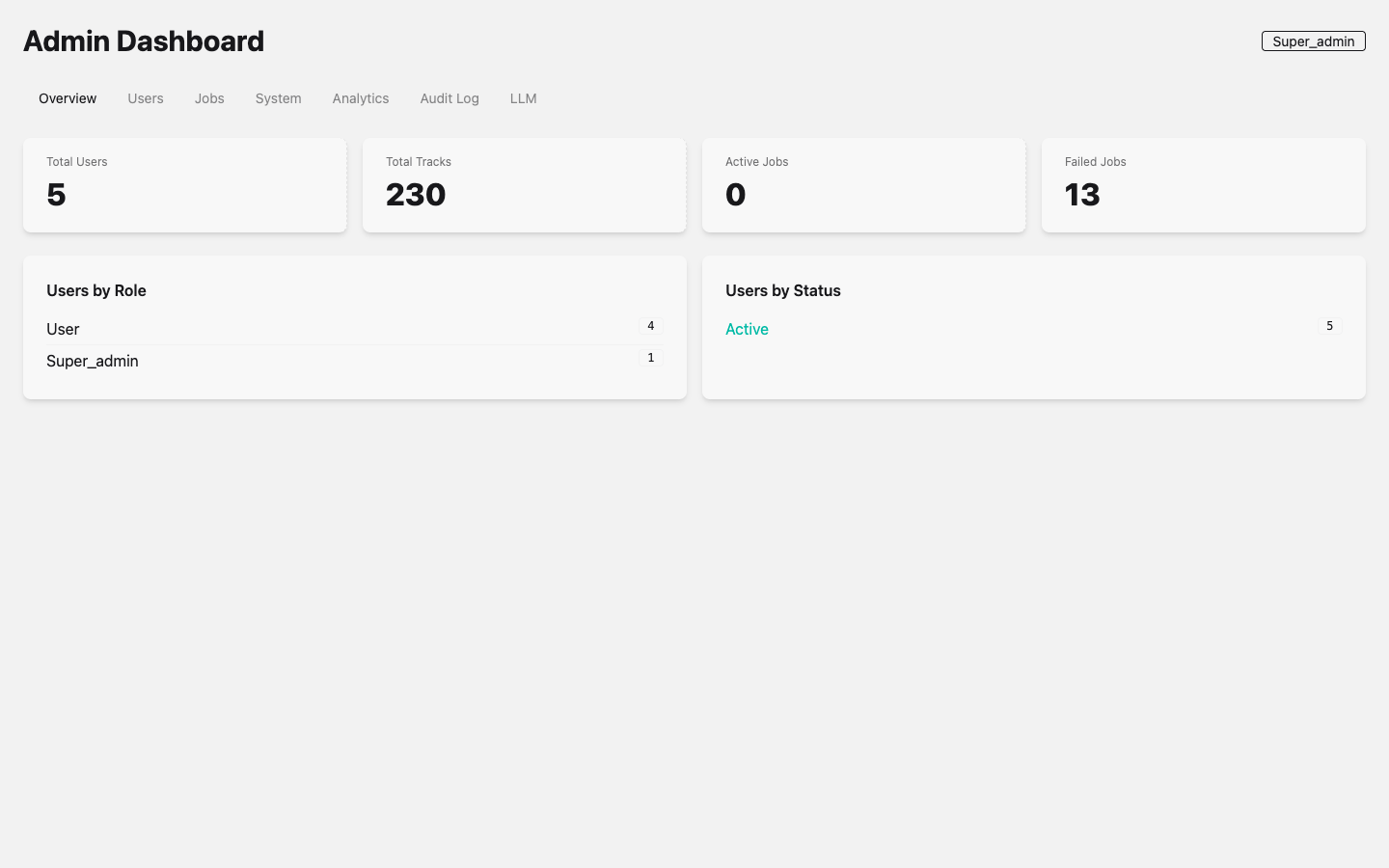 Admin Dashboard showing system metrics: 5 active users, 230 tracks in library, job queue status, and role distribution. Tabs across the top provide access to Users, Jobs, System, Analytics, Audit Log, and LLM management. The current user’s role badge (Super_admin) is displayed in the top-right corner.
The admin dashboard provides:
User Analytics
- Total registered users
- Active users (last 30 days)
- New users by day (chart)
- Users by role breakdown
Pipeline Analytics
- Total tracks imported
- Download job success/failure rates
- Processing job queue depth
- Analysis job throughput
System Health
- Oban queue depths (download, processing, analysis)
- LLM provider health status (per provider type)
- Database connection pool stats
- Disk usage for uploads directory
User Management
Admins can:
- List all users with email, role, registration date, and last active
- Change user role (promote to admin, demote to user)
- Deactivate user (soft-delete; user cannot log in)
- View user’s tracks and job history
- Impersonate user (platform_admin only) for debugging
User management operations are recorded in the audit log.
Audit Logs
Schema: SoundForge.Admin.AuditLog
All sensitive admin actions are recorded:
| Action | Logged Data |
|---|---|
| Role change | Target user, old role, new role, admin ID |
| User deactivation | Target user ID, admin ID |
| System config change | Config key, old value, new value |
| LLM key rotation | Provider type, admin ID (not the key itself) |
| API key creation/deletion | Key ID, user ID |
Audit log entries are append-only (no updates or deletes). Viewable in the admin dashboard with filtering by user, action type, and date range.
Dev Tools
LiveView: SoundForgeWeb.DevToolsLive
Route: GET /admin/dev-tools
Access: Admin only
The Dev Tools page provides:
- Oban job inspector — View queued/running/failed jobs, retry failed jobs, drain queues
- PubSub monitor — Live feed of PubSub broadcasts (useful for debugging real-time issues)
- ETS inspector — Browse LLM model registry, token cache
- Database stats — Table sizes, index usage, slow query log
Routes
All admin routes require authentication and admin or platform_admin role:
| Route | View | Description |
|---|---|---|
GET /admin |
AdminLive |
Main admin dashboard |
GET /admin/dev-tools |
DevToolsLive |
Developer tools |
Implementing Admin Checks
In LiveViews
defmodule SoundForgeWeb.AdminLive do
  use SoundForgeWeb, :live_view

  def mount(_params, _session, socket) do
    if socket.assigns.current_scope.user.role in [:admin, :platform_admin] do
      {:ok, socket}
    else
      {:ok, push_navigate(socket, to: "/")}
    end
  end
end
In Controllers
defmodule SoundForgeWeb.API.SomeAdminController do
  plug SoundForgeWeb.Plugs.RequireAdmin when action in [:index, :create]

  def index(conn, _params) do
    # Only admins reach here
  end
end
In Context Functions
defmodule SoundForge.Admin do
  alias SoundForge.Accounts.User

  def require_admin!(%User{role: role}) when role in [:admin, :platform_admin], do: :ok
  def require_admin!(_user), do: raise SoundForge.UnauthorizedError
end
See Also
| ← AI Agents | Next: API Reference → |