AI Agents
Multi-LLM agent system for music intelligence.
Table of Contents
- Overview
- Agent Capabilities
- LLM Provider Setup
- Using Agents in the UI
- API Integration
- Response Format
- Cost Considerations
Overview
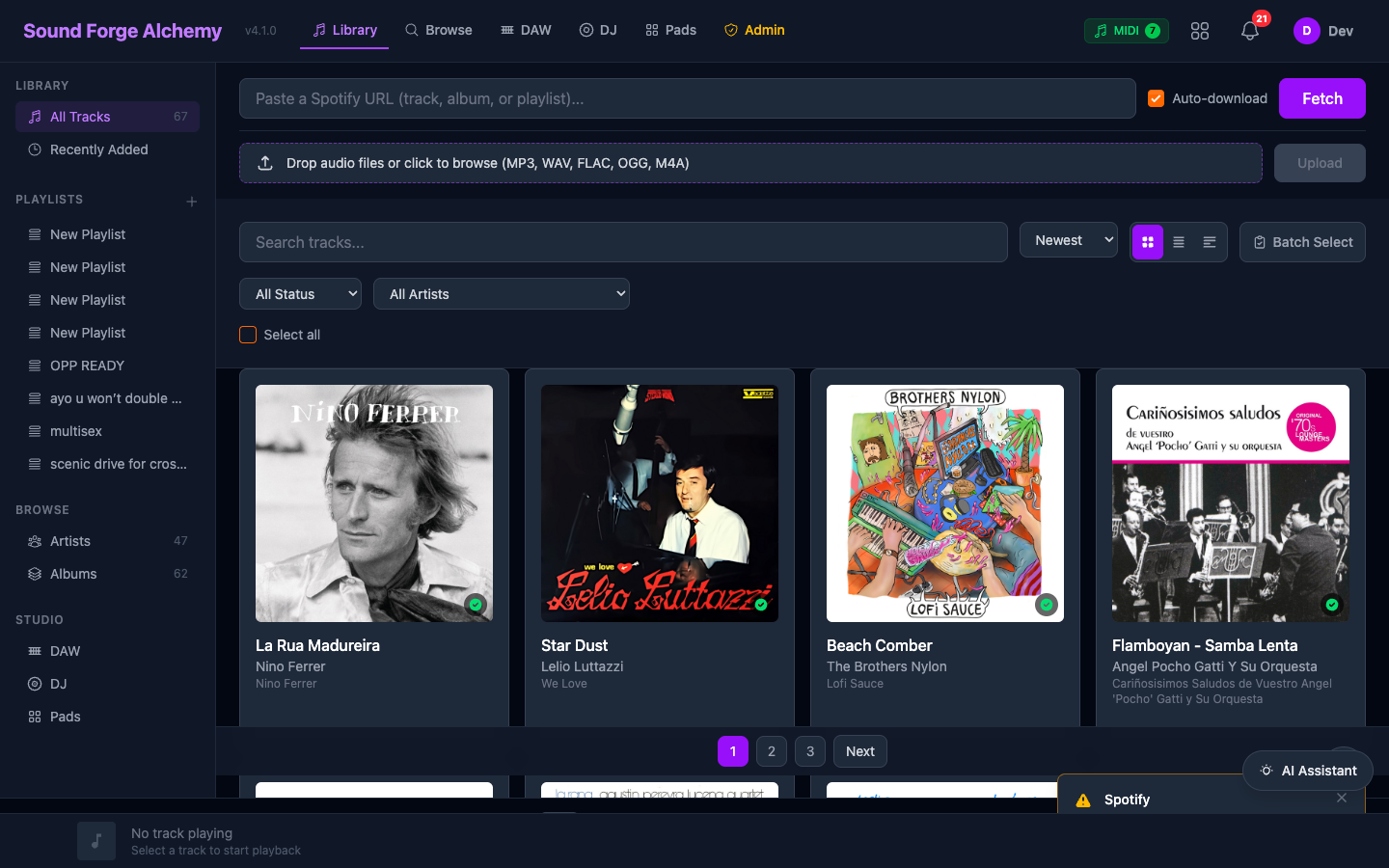 Main library dashboard where AI agent results surface — track cards, the DAW/DJ/Pads studio tabs, and the Spotify playback bar. The Admin tab in the top navigation provides access to the LLM management panel where platform-level AI provider keys and token usage are configured.
Sound Forge Alchemy includes six AI agents powered by your choice of LLM backend. Agents provide music intelligence on top of your library — analysing tracks, suggesting mixes, recommending loop points, and more.
All agents route through the Orchestrator, which selects the right specialist based on your instruction. See Agent System Architecture for implementation details.
Agent Capabilities
TrackAnalysisAgent
What it does:
- Interprets audio analysis data (tempo, key, energy, spectral features) in musical terms
- Identifies genre, mood, and instrumentation from analysis data
- Explains harmonic relationships and chord progressions
- Provides context about production style and era
Example prompts:
- “What genre is this track?”
- “Explain the harmonic structure”
- “Is this track suitable for a late-night set?”
MixPlanningAgent
What it does:
- Sequences tracks for optimal energy flow in a DJ set
- Identifies compatible key pairs (Camelot Wheel / Open Key)
- Suggests transition styles between tracks
- Plans set structure (opener → peak → cooldown)
Example prompts:
- “Plan a 60-minute progressive house set from these 8 tracks”
- “Which two tracks transition best together?”
- “Find tracks that can bridge the gap between 128 BPM and 140 BPM”
StemIntelligenceAgent
What it does:
- Assesses stem separation quality (dry/wet, bleed, artefacts)
- Identifies loop-worthy sections in stems
- Recommends EQ and processing for each stem
- Advises on remix and re-edit approaches
Example prompts:
- “Which sections of the vocals stem are cleanest?”
- “How should I process this drums stem for use in an edit?”
- “Find the best 8-bar loop in the bass stem”
CuePointAgent
What it does:
- Detects energy drops, builds, and climax points
- Suggests optimal hot cue placements
- Identifies intro/outro boundaries
- Finds phrase boundaries and bar grid alignment
Example prompts:
- “Where is the main drop in this track?”
- “Suggest 4 hot cue points for this track”
- “Where does the intro end and the main section begin?”
MasteringAgent
What it does:
- Reads LUFS/RMS levels from analysis and provides mastering guidance
- Identifies frequency imbalances from spectral data
- Compares loudness to reference tracks
- Suggests compression and limiting settings
Example prompts:
- “How does this track’s loudness compare to commercial releases?”
- “What EQ adjustments would help this track sit better in a mix?”
- “Is this track over-compressed?”
LibraryAgent
What it does:
- Searches the track library by musical attributes
- Finds similar tracks by key, tempo, or energy
- Curates playlists based on criteria
- Tags tracks with genre, mood, and style labels
Example prompts:
- “Find all tracks in A minor between 120–130 BPM”
- “Which tracks are similar to this one?”
- “Create a driving techno playlist from my library”
LLM Provider Setup
Agents use whichever LLM providers you have configured. Set up providers in Settings → AI Providers.
Supported providers:
| Provider | Models | Setup |
|---|---|---|
| Anthropic | Claude Opus 4.6, Sonnet, Haiku | Paste API key from console.anthropic.com |
| OpenAI | GPT-4o, GPT-4o-mini, o3 | Paste API key from platform.openai.com |
| Google Gemini | Gemini 2.5 Pro, 2.0 Flash | Paste API key from aistudio.google.com |
| Ollama | llama3.2, mistral, codellama | Run Ollama locally at http://localhost:11434 |
| Azure OpenAI | GPT-4o | Paste endpoint + key from Azure portal |
The ModelRegistry automatically selects the best available model for each task based on your configured providers and your preference (quality / speed / cost).
System-level keys can be configured by the platform admin via environment variables — these serve as fallbacks for users who haven’t added their own keys. See LLM Provider Variables.
Using Agents in the UI
Track Detail View
Each track detail page includes an AI Assistant panel. Type any instruction:
"Analyze this track and tell me what genre it is"
"Suggest transitions from this track to uplifting trance"
The response appears in the panel. The Orchestrator automatically selects the appropriate agent.
DJ Deck AI
The DJ Deck has an AI Mix Assistant button that:
- Analyzes both loaded tracks
- Suggests transition timing, EQ adjustments, and mix technique
- Optionally plans the next 3 tracks from your library
Batch Analysis
From the library view, select multiple tracks and click Batch Analyze to run the TrackAnalysisAgent on all selected tracks concurrently. Results are merged into AnalysisResult records.
API Integration
Agents are accessible via the internal API. External API access requires the api_auth pipeline.
# Analyze a track via Orchestrator
curl -X POST /api/agents/run \
  -H "Authorization: Bearer {token}" \
  -H "Content-Type: application/json" \
  -d '{
    "instruction": "What key and tempo is this track?",
    "track_id": "uuid-here",
    "task": "track_analysis"
  }'
Response:
{
  "agent": "SoundForge.Agents.TrackAnalysisAgent",
  "status": "ok",
  "content": "This track is in A minor at 128 BPM with high energy...",
  "data": {
    "key": "A minor",
    "tempo": 128.0,
    "energy": 0.82
  },
  "tokens_used": 342
}
Response Format
All agent responses follow the SoundForge.Agents.Result struct:
%Result{
  agent: SoundForge.Agents.TrackAnalysisAgent,
  status: :ok,
  content: "Human-readable response text",
  data: %{
    # Structured extracted data (varies by agent)
    key: "A minor",
    tempo: 128.0
  },
  tool_calls: [],          # Any tool calls made
  tokens_used: 342         # LLM token consumption
}
Cost Considerations
| Provider | Approximate cost per agent call |
|---|---|
| Anthropic Claude Haiku | ~$0.001 |
| Anthropic Claude Sonnet | ~$0.003 |
| OpenAI GPT-4o-mini | ~$0.001 |
| OpenAI GPT-4o | ~$0.005 |
| Google Gemini 2.0 Flash | ~$0.0005 |
| Ollama (local) | Free |
Token usage is tracked in Result.tokens_used. The platform admin can view aggregate token consumption in the admin dashboard.
See Also
| ← DJ/DAW Tools | Next: Admin → |