Home > Features > Stem Separation
Stem Separation
Local Demucs and cloud lalal.ai stem separation.
Table of Contents
- Overview
- Dual Engine Architecture
- Local Demucs Engine
- Cloud lalal.ai Engine
- Stem Types
- Processing Pipeline
- Model Comparison
- Storage
- Export
Overview
Stem separation isolates individual audio components from a mixed track (e.g., vocals, drums, bass). SFA offers two engines:
- Local Demucs — runs on your machine using PyTorch. Free, private, slower on CPU. Faster with GPU.
- Cloud lalal.ai — processes audio on lalal.ai’s servers. Paid API, 9+ stem types, 60-second preview without full processing.
Engine selection is a per-user setting in the Settings page.
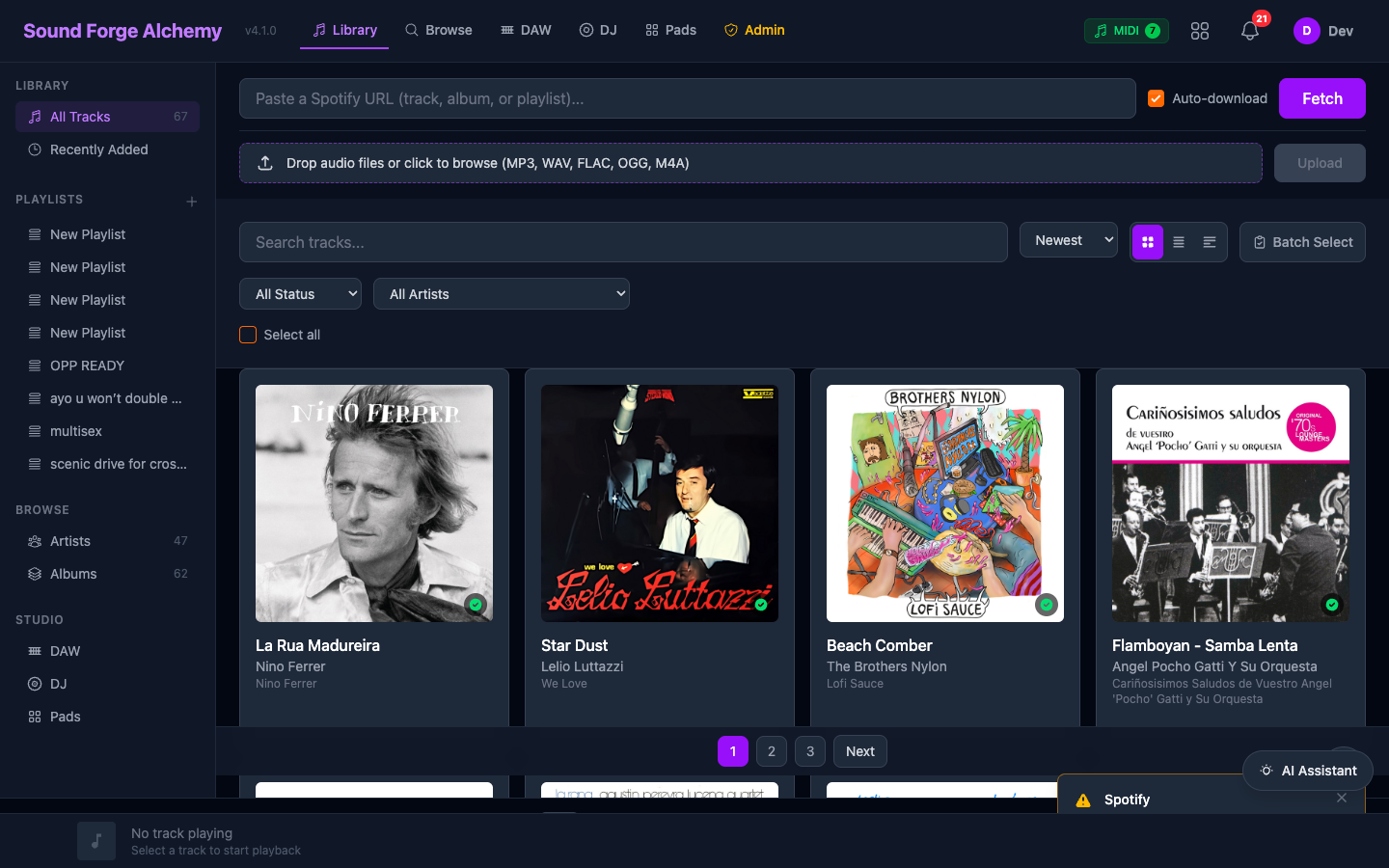 The track library shows downloaded tracks by album art and title. Stem separation is initiated from a track card once a track has been downloaded.
Dual Engine Architecture
ProcessingWorker
      |
      +-- engine: "local" --> Audio.DemucsPort --> Python demucs_runner.py
      |                                                     |
      |                                              priv/uploads/stems/
      |
      +-- engine: "lalalai" --> SoundForge.Audio.Lalalai --> lalal.ai API
                                                                  |
                                                           priv/uploads/stems/
Both engines write stems to the same directory structure and create Stem records with identical schema. The FileController serves them via the same /files/stems/... URL pattern.
Local Demucs Engine
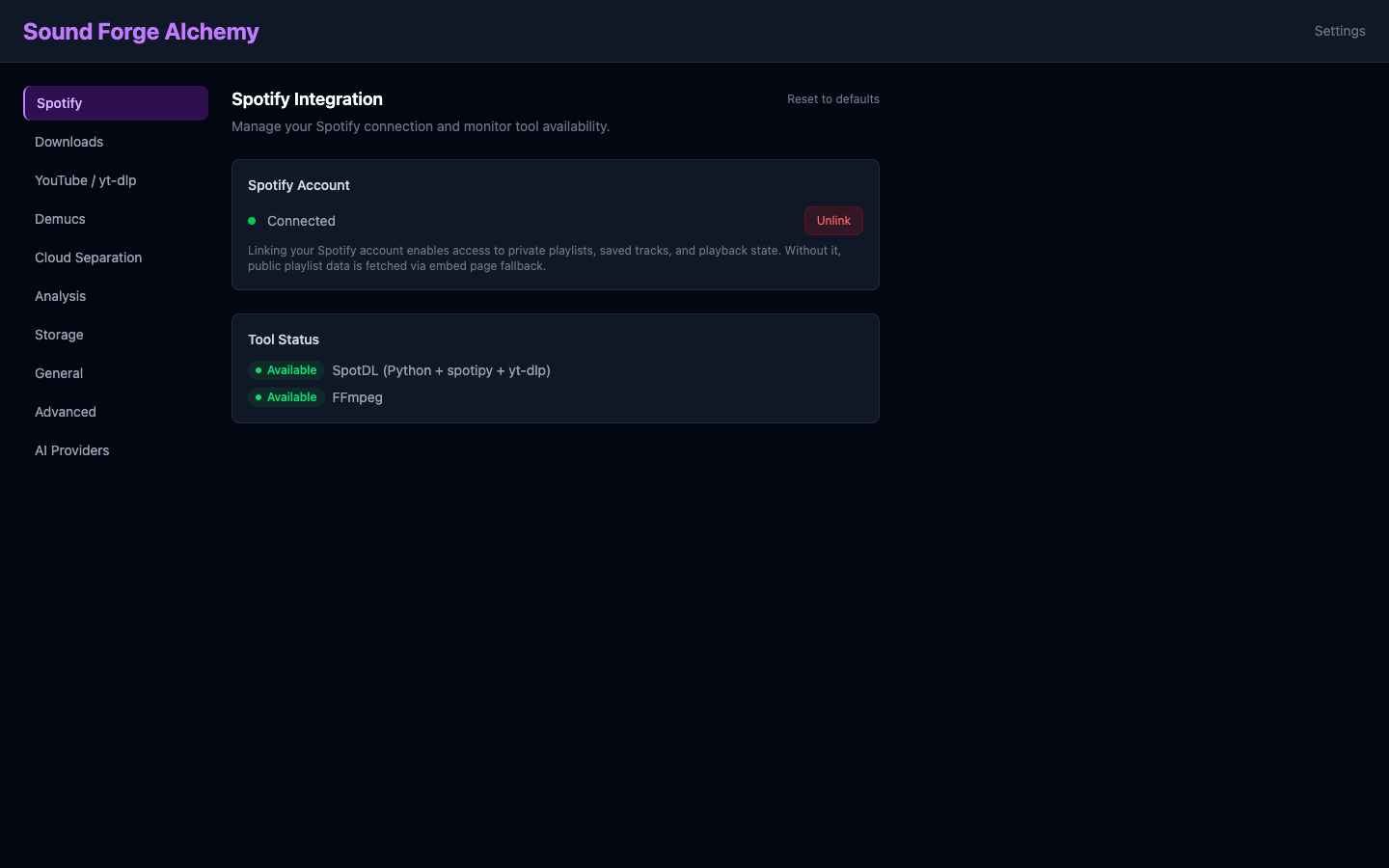 The Settings sidebar exposes separate sections for Demucs (local engine) and Cloud Separation (lalal.ai). Engine choice, model selection, and API keys are configured here per user.
Module: SoundForge.Audio.DemucsPort (GenServer + Erlang Port)
Demucs runs as a supervised OS process communicating via stdin/stdout (newline-delimited JSON).
Communication Protocol
// Progress update
{"type": "progress", "percent": 45}

// Completion
{"type": "result", "stems": {
  "vocals": "/path/to/stems/vocals.wav",
  "drums": "/path/to/stems/drums.wav",
  "bass": "/path/to/stems/bass.wav",
  "other": "/path/to/stems/other.wav"
}}

// Error
{"type": "error", "message": "CUDA out of memory"}
Timeout
Demucs port operations timeout after 5 minutes (300_000 ms). Large files or slow CPUs may require adjusting this in audio/demucs_port.ex.
Valid Models
The DemucsPort validates against ~w(htdemucs htdemucs_ft htdemucs_6s mdx_extra). All four models are available for selection in the Settings page.
6-Stem Model (htdemucs_6s)
The htdemucs_6s model produces six stems instead of four, adding :guitar and :piano to the standard vocals/drums/bass/other set. The processing pipeline and storage layout are identical – the two additional stems are written as guitar.wav and piano.wav alongside the standard four.
Cloud lalal.ai Engine
Module: SoundForge.Audio.Lalalai
Uses the lalal.ai REST API. Requires LALALAI_API_KEY (user-level, set in Settings) or SYSTEM_LALALAI_ACTIVATION_KEY.
lalal.ai Stem Types
| Stem | Description |
|---|---|
vocals |
Human voice |
drums |
All percussion |
bass |
Bass frequencies |
electric_guitar |
Electric guitar |
acoustic_guitar |
Acoustic guitar |
piano |
Piano |
synth |
Synthesizers |
strings |
String instruments |
wind |
Wind instruments |
backing_vocals |
Background vocals |
60-Second Preview
lalal.ai offers processing of the first 60 seconds before committing to a full separation. Use the preview in the UI to check stem quality before consuming quota.
Quota Management
GET /api/lalalai/quota
-> {"quota_minutes": 120, "used_minutes": 45, "remaining_minutes": 75}

POST /api/lalalai/cancel
-> Cancels active task

POST /api/lalalai/cancel-all
-> Cancels all pending tasks for the user
Stem Types
4-Stem (htdemucs, htdemucs_ft, mdx_extra)
| Type | Elixir Atom | Description |
|---|---|---|
| Vocals | :vocals |
Lead and backing vocals |
| Drums | :drums |
All percussion |
| Bass | :bass |
Bass guitar + sub |
| Other | :other |
Everything else |
6-Stem (htdemucs_6s)
Adds :guitar and :piano to the 4-stem set.
9+ Stem (lalal.ai)
All types listed in the lalal.ai section above.
Processing Pipeline
- User selects track and clicks Separate Stems
- Engine selection from user settings (local/lalalai) + model choice
Jobs.Processing.create_separation_job/3createsProcessingJobrecord + enqueues Oban jobProcessingWorkerpicks up job (queue concurrency: 2)- Worker routes to
DemucsPort.separate/2orLalalai.separate/2 - Status updates broadcast via PubSub at 10% intervals
- On completion:
- Stem files written to
priv/uploads/stems/{track_id}/ Stemrecords created per stem fileProcessingJobstatus set to:completed- PubSub broadcast triggers LiveView update
- Stem files written to
Model Comparison
| Model | Engine | Stems | Quality | Speed | Cost |
|---|---|---|---|---|---|
| htdemucs | Local | 4 | Good | Fast (GPU) / Slow (CPU) | Free |
| htdemucs_ft | Local | 4 | High | Slower than htdemucs | Free |
| htdemucs_6s | Local | 6 | Good | Medium | Free |
| mdx_extra | Local | 4 | High (vocals) | Medium | Free |
| lalal.ai | Cloud | 9+ | High | Fast (server-side) | Paid API |
Recommendation: Use htdemucs for general-purpose separation. Use htdemucs_ft when quality matters more than speed. Use lalal.ai for specialized stem types (guitar, piano, synth) or when you don’t have a GPU.
Storage
Stems are stored at relative paths to produce clean URLs:
priv/uploads/stems/{processing_job_id}/vocals.wav
priv/uploads/stems/{processing_job_id}/drums.wav
priv/uploads/stems/{processing_job_id}/bass.wav
priv/uploads/stems/{processing_job_id}/other.wav
The Stem.file_path column stores the relative path (e.g., stems/job-uuid/vocals.wav), not an absolute path. This produces clean /files/stems/... URLs served by FileController.
Export
Users can export individual stems or all stems for a track as a ZIP:
GET /export/stem/{stem_id}         # Single stem file
GET /export/stems/{track_id}       # All stems as ZIP
See Export API for details.
See Also
| ← Import Pipeline | Next: Audio Analysis → |