Installation
Full installation guide for Sound Forge Alchemy including all prerequisites.
Table of Contents
- System Requirements
- Install Elixir and Erlang
- Install PostgreSQL
- Install Node.js
- Install Python Dependencies
- Clone the Repository
- Install Application Dependencies
- Database Setup
- Spotify Application Setup
- First Boot Verification
System Requirements
| Component | Minimum | Recommended |
|---|---|---|
| OS | macOS 13, Ubuntu 22.04, Debian 12 | macOS 14, Ubuntu 24.04 |
| CPU | 2 cores | 4+ cores (Demucs uses all available) |
| RAM | 4 GB | 8+ GB (Demucs requires 2–4 GB per job) |
| Disk | 10 GB free | 50+ GB (audio files accumulate) |
| GPU | None | NVIDIA (Demucs 4x faster with CUDA) |
| Elixir | ~> 1.15 | latest |
| Erlang/OTP | 26+ | latest |
| PostgreSQL | 14+ | 16 |
| Python | 3.10+ | 3.12 |
| Node.js | 20+ | 22 |
Install Elixir and Erlang
macOS (via Homebrew)
brew install elixir
Homebrew installs Erlang/OTP as a dependency.
Ubuntu/Debian (via asdf)
# Install asdf
git clone https://github.com/asdf-vm/asdf.git ~/.asdf --branch v0.14.0
echo '. ~/.asdf/asdf.sh' >> ~/.bashrc && source ~/.bashrc

# Add Erlang and Elixir plugins
asdf plugin add erlang
asdf plugin add elixir

# Install versions matching .tool-versions in the repo
cd /path/to/sound-forge-alchemy
asdf install
Verify
elixir --version
# Elixir 1.17.x (compiled with Erlang/OTP 26)
Install PostgreSQL
macOS
brew install postgresql@16
brew services start postgresql@16
Ubuntu
sudo apt install postgresql-16 postgresql-client-16
sudo systemctl start postgresql
Create a database user (if needed)
sudo -u postgres createuser -s $(whoami)
Install Node.js
macOS
brew install node@22
nvm (cross-platform)
nvm install 22
nvm use 22
Verify
node --version   # v22.x.x
npm --version    # 10.x.x
Install Python Dependencies
SFA requires Python 3.10+ with several audio processing libraries:
# Create a virtual environment (recommended)
python3 -m venv ~/.venv/sfa
source ~/.venv/sfa/bin/activate

# Core audio tools
pip install spotdl librosa soundfile demucs

# Optional: faster librosa on Apple Silicon
pip install llvmlite numba
Verify
python3 -c "import librosa; print(librosa.__version__)"
spotdl --version
python3 -c "import demucs; print('demucs ok')"
GPU Acceleration for Demucs
If you have an NVIDIA GPU:
pip install torch torchvision torchaudio --index-url https://download.pytorch.org/whl/cu121
pip install demucs
On Apple Silicon, Metal Performance Shaders are used automatically — no extra steps needed.
Clone the Repository
git clone https://github.com/peguesj/sound-forge-alchemy.git
cd sound-forge-alchemy
Install Application Dependencies
# Fetch Elixir dependencies
mix deps.get

# Install JS dependencies
npm install

# Compile and set up assets
mix assets.setup
mix assets.build
Database Setup
# Create database, run migrations, and seed
mix ecto.setup
This executes:
mix ecto.create— createssound_forge_devmix ecto.migrate— runs all migrations including Oban tablesmix run priv/repo/seeds.exs— optional seed data
Reset Database
mix ecto.reset
Spotify Application Setup
SFA needs a Spotify application for OAuth2 client credentials (track metadata only — no user account required for basic functionality).
- Go to https://developer.spotify.com/dashboard
- Create a new application
- Note the Client ID and Client Secret
- Add
http://localhost:4000/auth/spotify/callbackto Redirect URIs
Create .env in the project root:
SPOTIFY_CLIENT_ID=your_client_id_here
SPOTIFY_CLIENT_SECRET=your_client_secret_here
For Spotify user account features (playback in Spotify app), also connect via the Settings page after logging in.
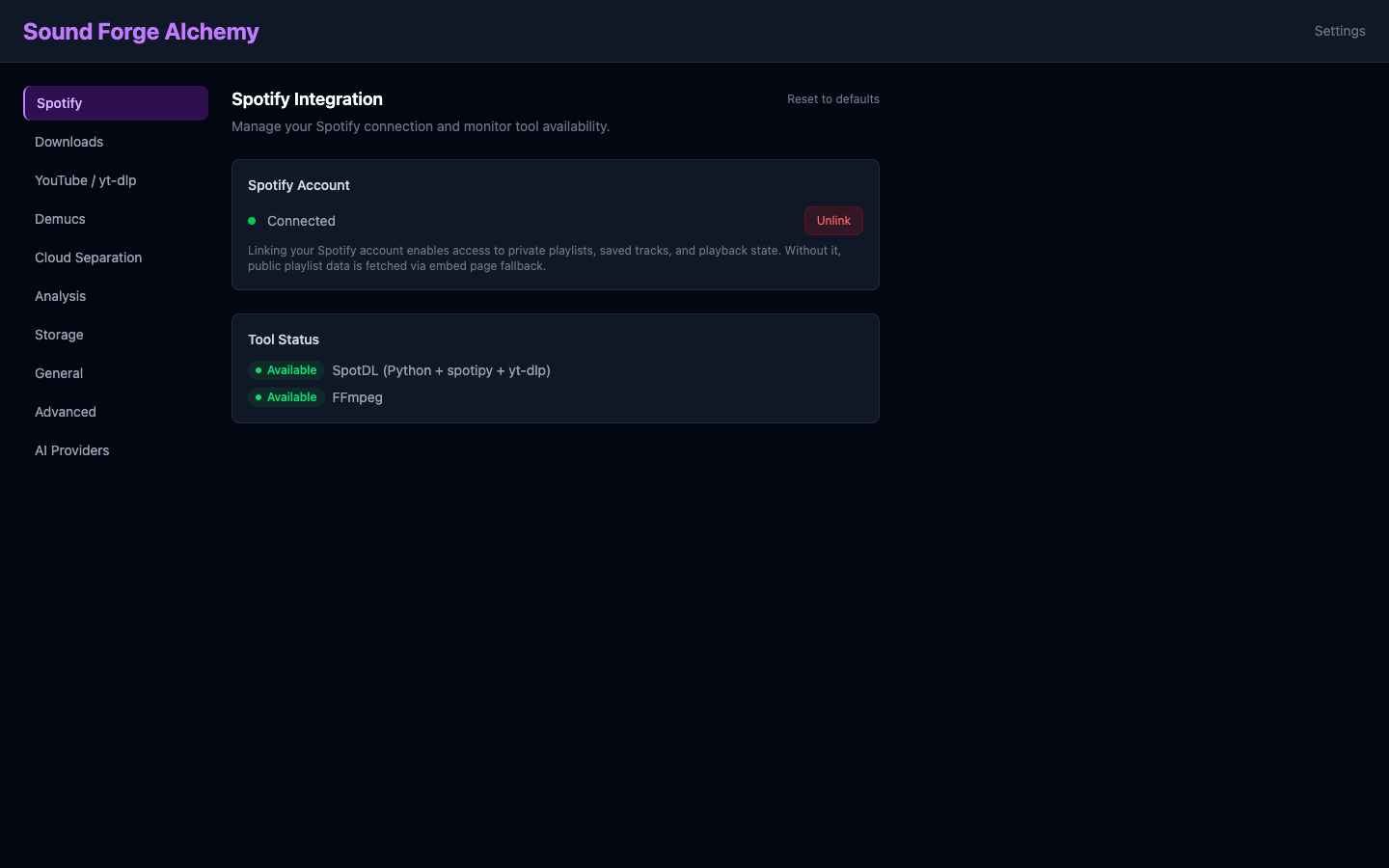 The Settings page confirms your Spotify connection status (green dot = connected) and shows whether the required audio tools — SpotDL and FFmpeg — are available on the system PATH.
First Boot Verification
# Source environment and start
source .env && mix phx.server
Expected output:
[info] Running SoundForgeWeb.Endpoint with Bandit 1.5.x at 0.0.0.0:4000 (http)
[info] Access SoundForgeWeb.Endpoint at http://localhost:4000
Navigate to http://localhost:4000 and register an account.
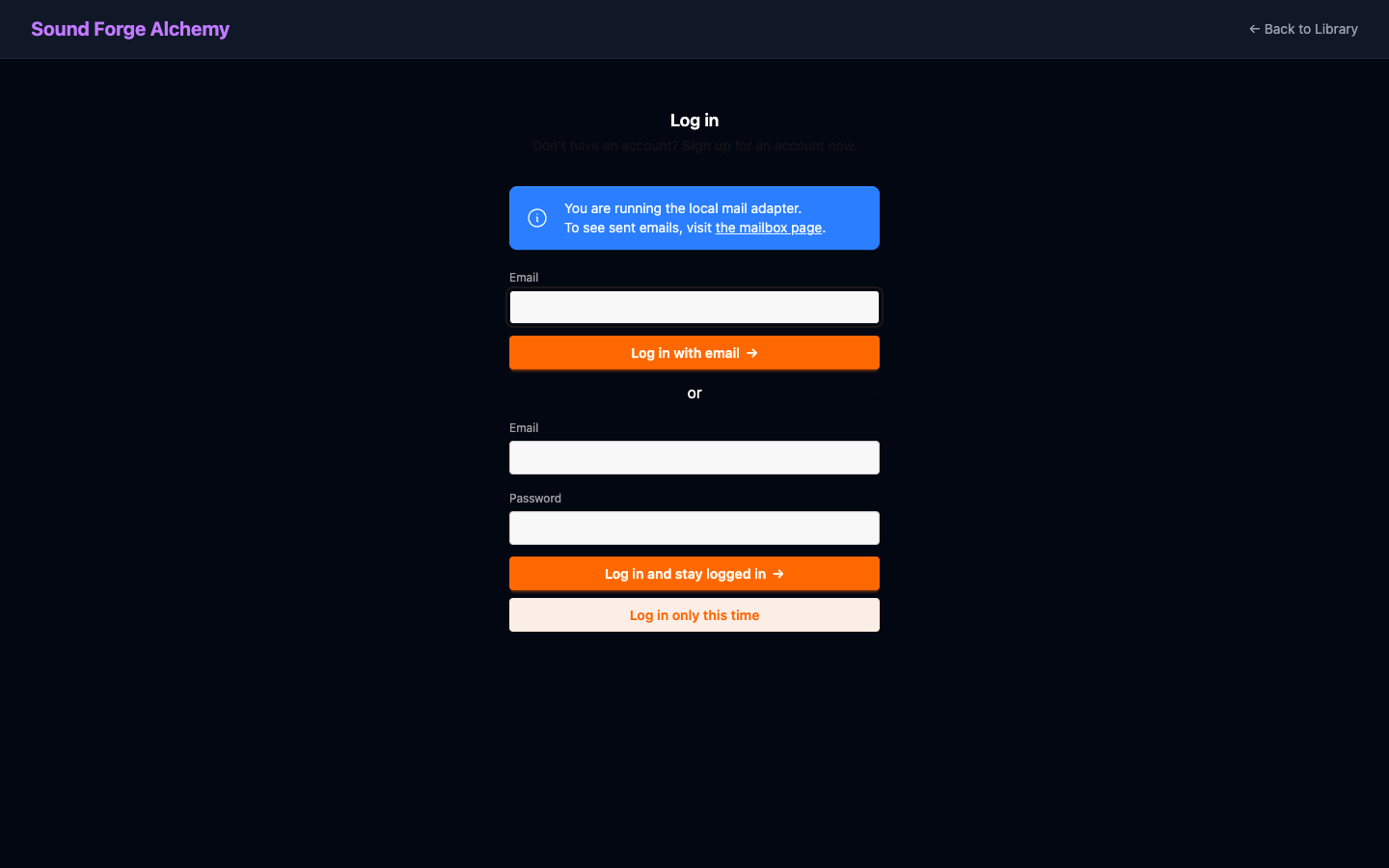 The login page on first visit. Use magic link for passwordless sign-in or the password form if you set a password during registration.
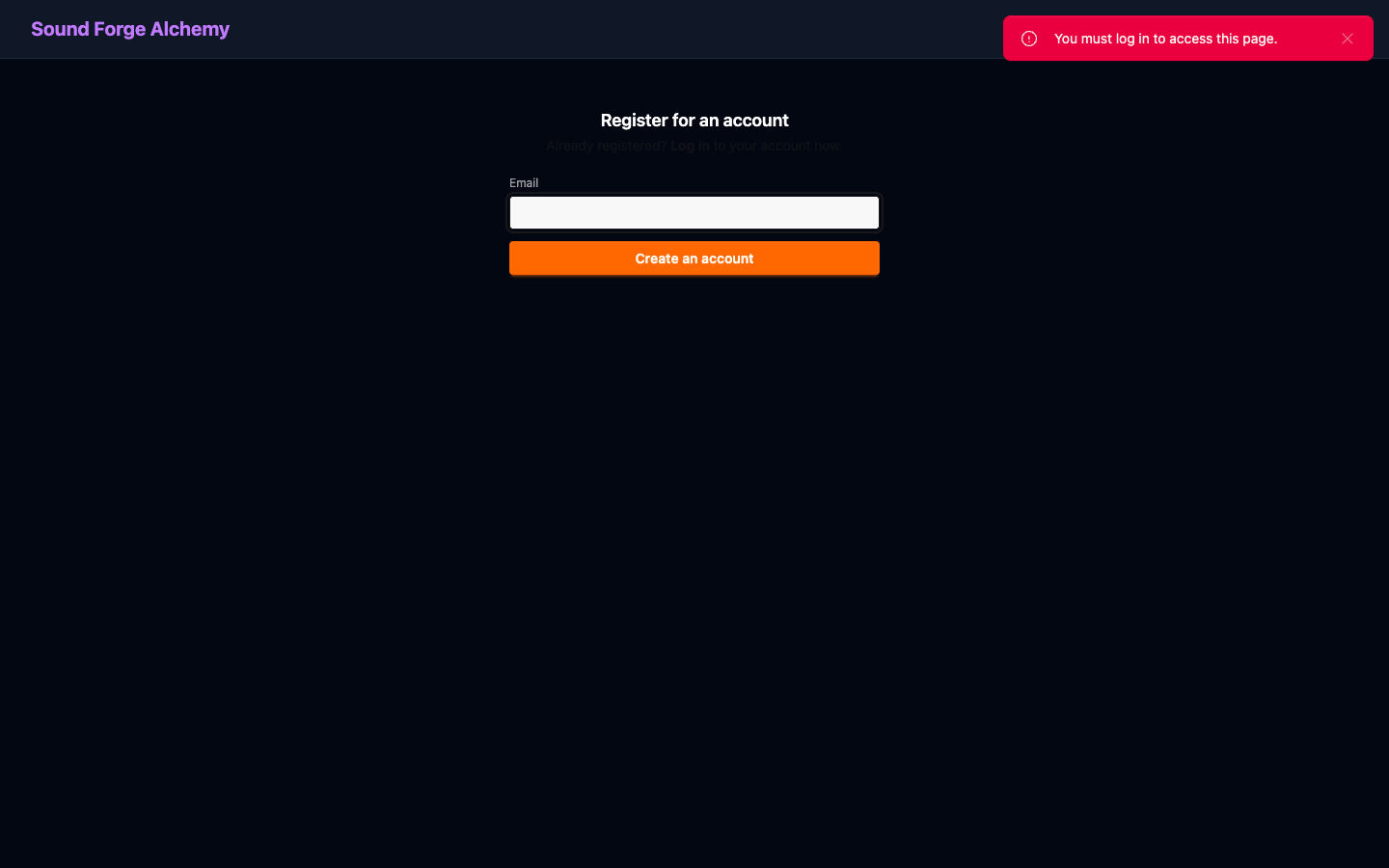 New user registration. Enter your email address and click Create an account. A confirmation email will be sent before the account is activated.
Once logged in, the main dashboard loads your track library.
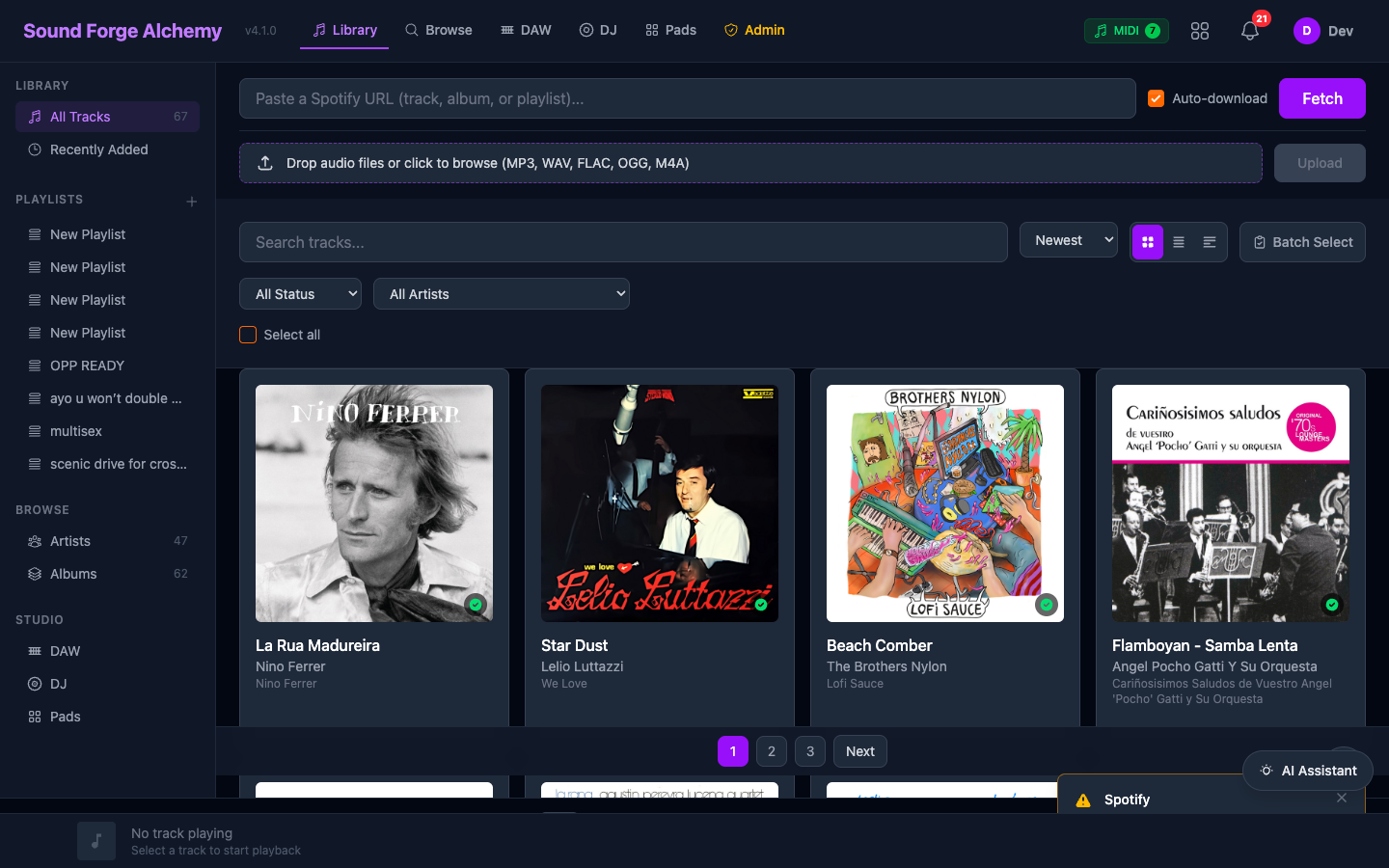 A fully loaded library with imported tracks. The sidebar provides access to Library, Playlists, Browse (Artists/Albums), and Studio tools (DAW, DJ, Pads). The Spotify playback bar appears at the bottom once Spotify is connected.
Verify Each Subsystem
| Check | URL/Command |
|---|---|
| Web app loads | http://localhost:4000 |
| Health endpoint | curl http://localhost:4000/health → {"status":"ok"} |
| Phoenix LiveDashboard | http://localhost:4000/dev/dashboard |
| Oban running | Check logs for [Oban] Starting |
See Also
| ← Quickstart | Next: Configuration → |