Deployment
Azure Container Apps + Docker deployment guide for Sound Forge Alchemy.
Table of Contents
- Architecture Overview
- Docker Build
- Azure Container Registry
- Azure Container Apps Setup
- Environment Variables in Production
- Database Migration in Production
- Health Checks
- Scaling
- Monitoring and Logs
- Rollback
Architecture Overview
Production deployment runs on Azure Container Apps:
flowchart TD
    Internet["Internet"]
    ACA["Azure Container Apps (sfa-app)\n- Bandit HTTP server on PORT\n- PHX_HOST = sfa-app.jollyplant-d0a9771d.eastus.azurecontainerapps.io\n- SSL terminated by Azure"]
    PG["Azure PostgreSQL Flexible Server"]
    ACR["Azure Container Registry\n(SFA image ~4.8 GB)"]

    Internet --> ACA
    ACA --> PG
    ACA --> ACR
Live URL: https://sfa-app.jollyplant-d0a9771d.eastus.azurecontainerapps.io
Docker Build
Dockerfile Overview
The Dockerfile uses a multi-stage build:
- Stage 1: build — Elixir dependencies, assets compilation, release build
- Stage 2: app — Minimal runtime image with Python audio tools
# Stage 1: Elixir release build
FROM hexpm/elixir:1.17.3-erlang-27.0.1-debian-bookworm-20240701 AS build
# ... compile Elixir, build assets

# Stage 2: Runtime with Python
FROM debian:bookworm AS app
# ... install Python, demucs, librosa, spotdl
# ... copy release from build stage
Important Build Notes
- BEAM VM cannot run under QEMU on Apple Silicon — Always use
az acr buildfor remote amd64 builds. Do not attemptdocker buildxfor BEAM-based images. - ACR build does not support ARG interpolation in FROM directives — Hardcode image references (no
ARG BASE_IMAGE). - Combine all COPY + compile into a single RUN layer to avoid “MixProject already compiled” errors from layer caching.
- Image size is ~4.8 GB due to Python deps (Demucs, librosa, spotdl). Plan ACR storage accordingly.
Local Docker Build (non-Apple-Silicon)
docker build -t sfa:local .
docker run -p 4000:4000 \
  -e DATABASE_URL="ecto://..." \
  -e SECRET_KEY_BASE="$(mix phx.gen.secret)" \
  -e SPOTIFY_CLIENT_ID="..." \
  -e SPOTIFY_CLIENT_SECRET="..." \
  -e PHX_HOST="localhost" \
  -e PHX_SERVER="true" \
  sfa:local
Azure Container Registry
# Create ACR (one-time)
az acr create --resource-group sfa-rg --name sfaregistry --sku Basic

# Build image remotely (recommended for Apple Silicon / amd64 target)
az acr build \
  --registry sfaregistry \
  --image sfa:latest \
  --platform linux/amd64 \
  .

# List images
az acr repository list --name sfaregistry
Azure Container Apps Setup
# Create Container Apps environment (one-time)
az containerapp env create \
  --name sfa-env \
  --resource-group sfa-rg \
  --location eastus

# Create the container app
az containerapp create \
  --name sfa-app \
  --resource-group sfa-rg \
  --environment sfa-env \
  --image sfaregistry.azurecr.io/sfa:latest \
  --registry-server sfaregistry.azurecr.io \
  --registry-identity system \
  --target-port 4000 \
  --ingress external \
  --min-replicas 1 \
  --max-replicas 3 \
  --cpu 2 \
  --memory 4Gi \
  --env-vars \
    PHX_SERVER=true \
    DATABASE_URL=secretref:database-url \
    SECRET_KEY_BASE=secretref:secret-key-base \
    SPOTIFY_CLIENT_ID=secretref:spotify-client-id \
    SPOTIFY_CLIENT_SECRET=secretref:spotify-client-secret
Update to New Image
# Build new image
az acr build --registry sfaregistry --image sfa:v4.1.0 .

# Update container app
az containerapp update \
  --name sfa-app \
  --resource-group sfa-rg \
  --image sfaregistry.azurecr.io/sfa:v4.1.0
Environment Variables in Production
Use Azure Container Apps secrets for sensitive values:
# Set secrets
az containerapp secret set \
  --name sfa-app \
  --resource-group sfa-rg \
  --secrets \
    database-url="ecto://user:pass@host/db" \
    secret-key-base="$(mix phx.gen.secret)" \
    spotify-client-id="..." \
    spotify-client-secret="..."
Required production env vars:
| Variable | Value |
|---|---|
DATABASE_URL |
PostgreSQL connection string |
SECRET_KEY_BASE |
64+ char secret |
PHX_HOST |
Your app domain |
PHX_SERVER |
true |
SPOTIFY_CLIENT_ID |
Spotify app credential |
SPOTIFY_CLIENT_SECRET |
Spotify app credential |
See Configuration Guide for full variable reference.
Database Migration in Production
SFA uses the SoundForge.Release module to run migrations in production without a Mix installation:
# Run migrations inside the container
docker exec <container_id> /app/bin/sound_forge eval "SoundForge.Release.migrate()"

# Or via Azure CLI
az containerapp exec \
  --name sfa-app \
  --resource-group sfa-rg \
  --command "/app/bin/sound_forge eval \"SoundForge.Release.migrate()\""
The Release.migrate/0 function:
# lib/sound_forge/release.ex
def migrate do
  load_app()
  for repo <- repos() do
    {:ok, _, _} = Ecto.Migrator.with_repo(repo, &Ecto.Migrator.run(&1, :up, all: true))
  end
end
Health Checks
Configure Container Apps health probes:
az containerapp update \
  --name sfa-app \
  --resource-group sfa-rg \
  --health-probes '[{
    "type": "liveness",
    "httpGet": {"path": "/health", "port": 4000},
    "initialDelaySeconds": 10,
    "periodSeconds": 30
  }]'
The health endpoint at GET /health returns {"status":"ok"} when the application is running.
Scaling
Container Apps supports scale rules. For SFA, scale based on HTTP request count:
az containerapp update \
  --name sfa-app \
  --resource-group sfa-rg \
  --min-replicas 1 \
  --max-replicas 5 \
  --scale-rule-name http-scaling \
  --scale-rule-http-concurrency 20
Note on Demucs: Each Demucs processing job requires 2–4 GB of RAM. With processing: 2 Oban concurrency, a container with 4 GB RAM can handle two concurrent stem separation jobs. Scale accordingly.
Monitoring and Logs
# Stream live logs
az containerapp logs show \
  --name sfa-app \
  --resource-group sfa-rg \
  --follow

# View recent logs
az containerapp logs show \
  --name sfa-app \
  --resource-group sfa-rg \
  --tail 100
Phoenix LiveDashboard is available in development at /dev/dashboard. It provides real-time system metrics, process introspection, Ecto query stats, and request logging.
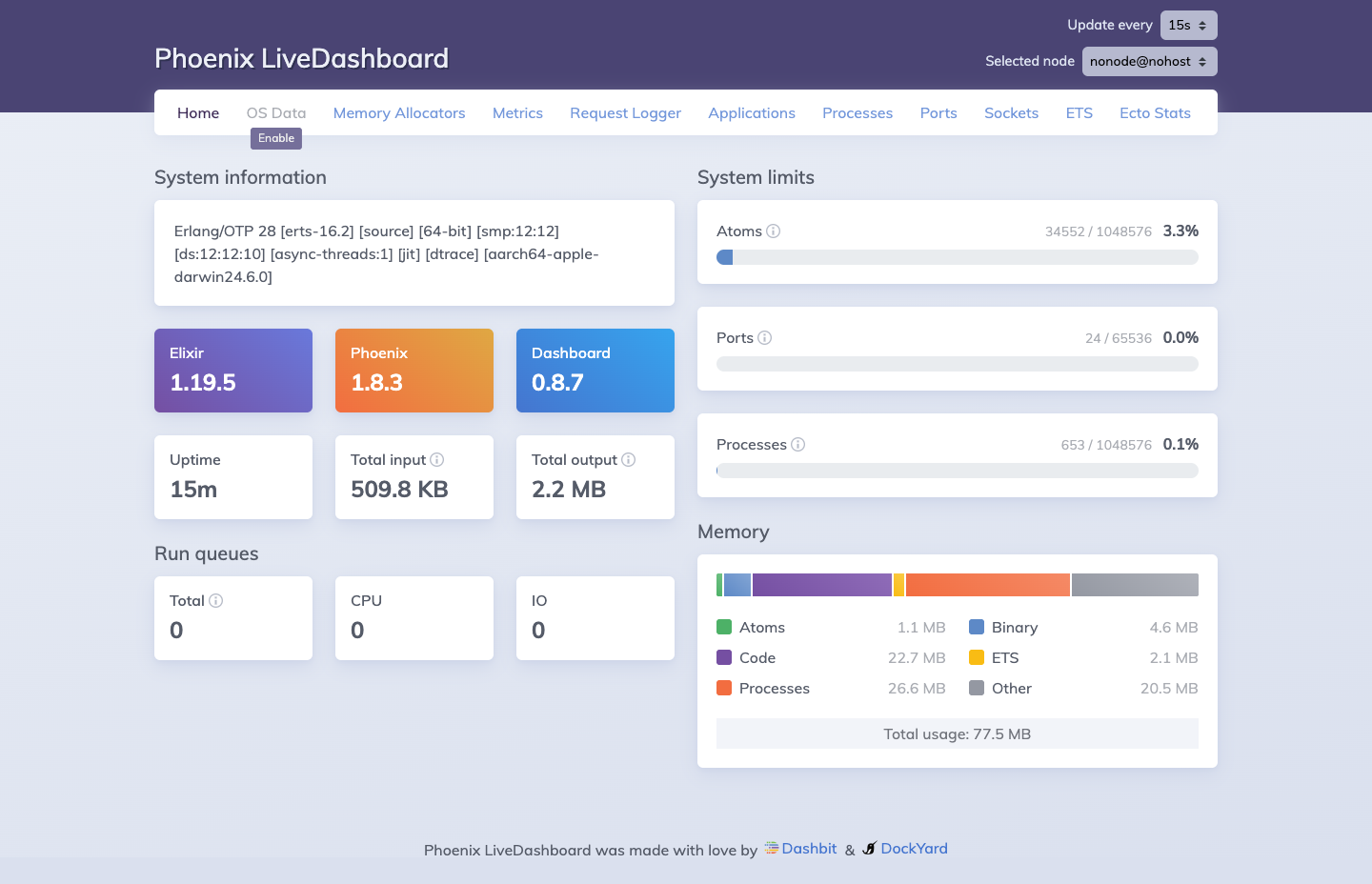 Phoenix LiveDashboard: system info (Elixir 1.19.5, Phoenix 1.8.3), uptime, atom/port/process utilization gauges, and navigation tabs for OS Data, Memory Allocators, Metrics, Ecto Stats, and more.
In production, set up basic auth if you expose it:
# config/prod.exs
import Phoenix.LiveDashboard.Router
scope "/admin/dev" do
  pipe_through [:browser, :require_admin_user]
  live_dashboard "/dashboard"
end
Rollback
# List recent revisions
az containerapp revision list \
  --name sfa-app \
  --resource-group sfa-rg

# Activate a previous revision
az containerapp revision activate \
  --name sfa-app \
  --resource-group sfa-rg \
  --revision sfa-app--previous-revision-name
See Also
| ← Configuration | Next: Development → |